It's 2 PM on a Tuesday.
Your Slack or Teams is buzzing, your calendar is back-to-back, and somewhere between your third coffee and your fifth video call, you realize, you have absolutely no idea what your colleague Sarah has been up to lately. Not work stuff. Just... her. You don't even know if she got that dog she mentioned three months ago.
That's the quiet cost of remote work nobody talks about enough.
The printer jam that used to spark a five minute rant (and a friendship). The break room debate about whether the office coffee was truly undrinkable. Those accidental "oh, you're into that too?" moments, simply gone.
Remote work quietly removed the accidental connections that used to hold teams together.
For you, this blog covers five practical ways to bring those moments back online, a team-size setup guide, 35 ready-to-use conversation starters, and the etiquette that keeps it all feeling natural.
What is a Virtual Water Cooler Conversation?
Definition: A virtual water cooler conversation is an informal, unstructured digital chat that recreates the spontaneous social moments of a physical office for remote and hybrid teams.
The term "Water Cooler Conversation" actually has nautical roots. Sailors used to gather around the ship's drinking water cask, called a "scuttlebutt," to swap stories and gossip. Nothing work-critical, just human connection in the middle of a long voyage.
The office water cooler became the land-based equivalent. The virtual water cooler is simply that same instinct, moved online.
I am sure, you understood the literal meaning of water cooler conversation. But let me tell you, what it isn't.
A virtual water cooler conversation is not another meeting squeezed into your calendar. There’s no agenda, no presenter, and no action items waiting at the end. Nobody needs to “circle back” later.
It’s also different from async updates on Slack or email. Those messages help people stay informed, but they’re usually about tasks and progress. Water cooler chats are about people, not projects.
In a work culture where most digital conversations revolve around getting things done, these informal moments create space to just be colleagues. And sometimes, that’s exactly what teams need most.
5 Ways To Facilitate Virtual Water Cooler Conversations Among Remote Workers
The good news is that recreating those casual office moments doesn't require a big budget or a complicated plan. It just takes a little intentionality and the right setup.
Here are five practical ways to get virtual water cooler conversations flowing naturally in your remote or hybrid team.
1. Team Chat Apps
Team chat apps are great tools for remote workers to have instantaneous conversations. They provide a synchronized way for team members to connect without relying on the ever slow email.
The appeal of these apps is nestled in the efficiency and the convenience that they provide. Without the hassle of setting up a video call or adding everyone is an email thread, team chat apps are informal to get the conversation going.
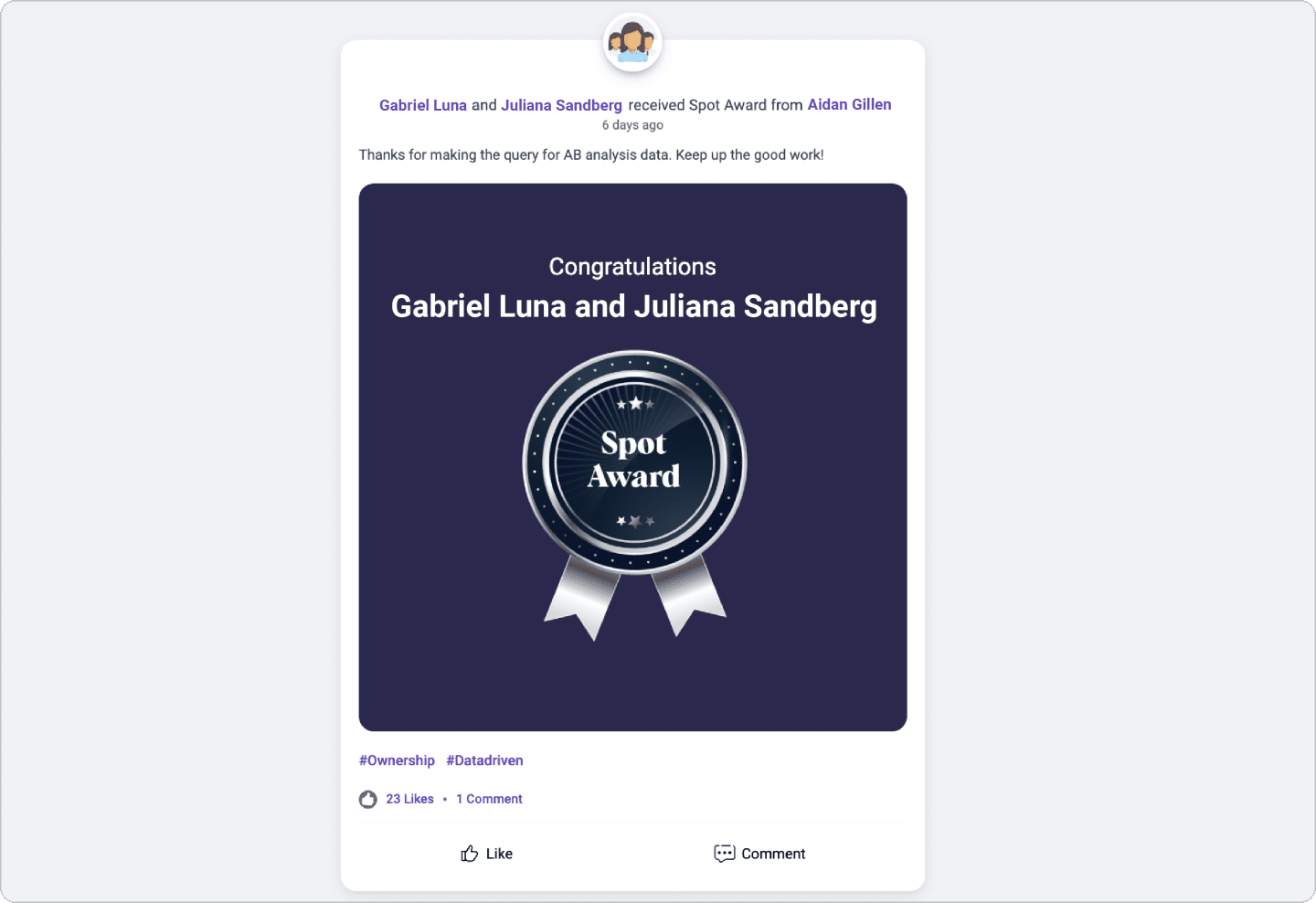
Platforms like Vantage Recognition extend this further by embedding peer-to-peer appreciation directly into these chat channels. Recognizing a colleague's effort becomes as frictionless as replying to a message. When recognition lives in the same space as everyday conversation, it stops feeling like a formal process and starts feeling like part of the culture.
2. Informal Team Breaks
Set up a particular timing in a day when remote workers can take a break to indulge in casual conversations with their team members. Encourage them to indulge in “water cooler conversations,” i.e., without any specific agenda.
Assigning such break timings will not only allow them to bond with their peers but also will enable them to take a much-needed break. It is a great way to de-stress and rejuvenate oneself before continuing with the rest of the workday.
Ensure that the staff members are not disturbed with any work-related requests or tasks during this break time. Allow them to interact without any interruptions and genuinely enjoy the time. Not only will remote workers be much happier, but it will also support higher employee engagement.
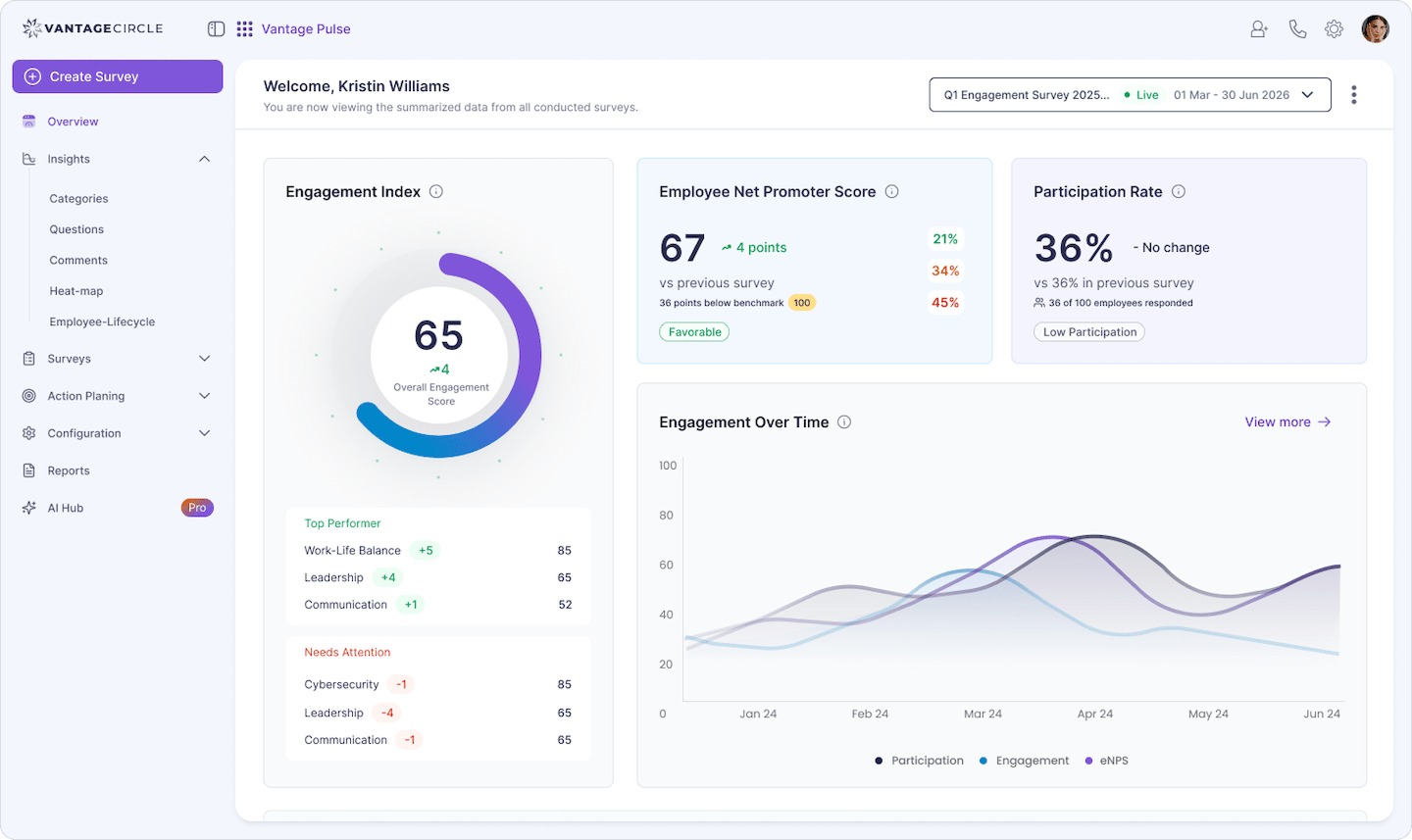
The only reliable way to know whether these breaks are actually building connection or just filling calendar slots is to ask. Short, regular pulse surveys through a tool like Vantage Pulse can surface how connected employees genuinely feel, giving you the data to adjust cadence, format, or frequency before disengagement quietly sets in.
3. Virtual Team Building Activities
Water cooler conversation is the idea of needing human interactions. Especially since the world is virtual, the need to connect has grown stronger. To support the social necessity of your remote workers, virtual team building activities are a godsend.
While many activities do sound troublesome, some activities will allow your staff members to socially interact effectively. Here are some entertaining ones that everyone will love:
- Book clubs are great to encourage the sharing of ideas and thoughts. Additionally, books do help in battling loneliness and stress.
- Weekly movie nights are an incredible way to have impromptu binge sessions with your work besties.
- Virtual team lunch can be utilized to enjoy the process of breaking bread just like you used to back in the office. The power of nostalgia is really effective.
- Icebreaker sessions are where everyone gets to ask fascinating questions to the other team members. They make for great conversation starters and get-to-knows.
- Everyone loves virtual trivia nights. Divide staff members into teams and simply have fun.
- Photo sharing sessions where remote workers share any interesting shots they have taken while being stuck at home.
4. Virtual Happy Hours
Virtual happy hours have seen incredible success with various social groups. It is a thing that has seen gain momentum in the pandemic just because it works. Since staff members can’t go out after a Friday gets over, virtual happy hours are an incredible alternative.
Hosting a virtual happy hour doesn’t even necessarily have to be about alcohol. It is about connecting over a long week of stress-inducing work and only having fun.
5. Create Virtual Clubs
Hosting virtual clubs are an excellent way for remote workers to connect over something that they love. Films, books, Star Wars- the opportunities are endless. Not only will it facilitate staff members from different teams to connect, but it will also enhance the company culture by boosting creativity.
Appoint a staff member as the club coordinator and let them organize events and virtual meetings that explore the interests of the remote workers.
A small but meaningful touch is when someone consistently shows up for the book club or keeps the film channel alive, acknowledge it.
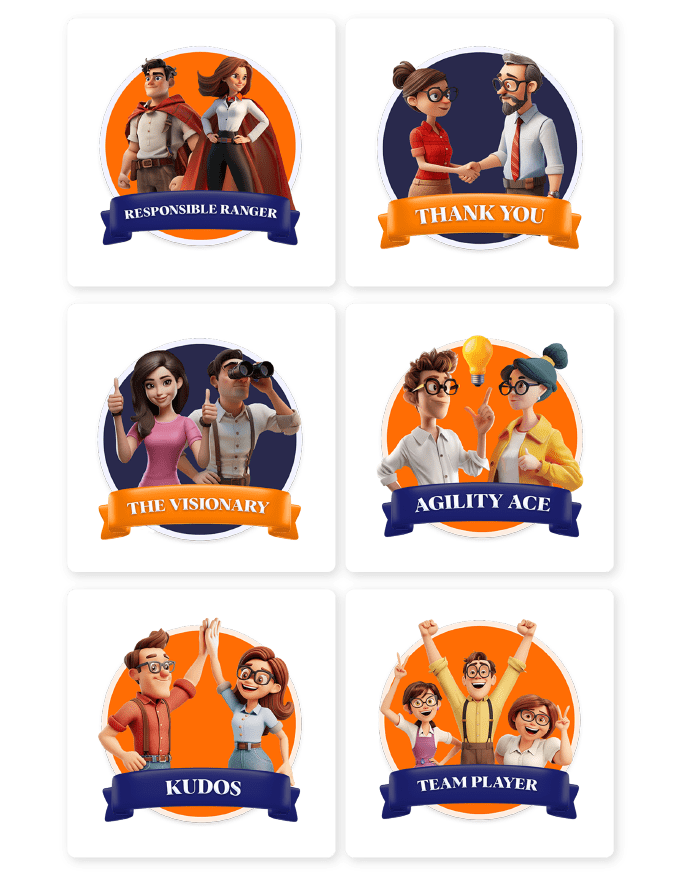
Vantage Recognition lets managers and peers award digital Recognition Badges for exactly these moments. Contributions that wouldn't show up in a performance review but quietly shape your culture. It's a low-effort way to say "we see you," and that tends to matter more than people admit.
Best Tools for Virtual Water Cooler Conversations
The five approaches above give you the strategy. The question now is: which specific tools do you actually use?
There's no single right answer. The best tool is the one your team will genuinely open.
Here's a practical breakdown of what each category does well, so you can make an informed call rather than just installing whatever everyone else is using.
1. Chat-App Channels: Slack, Microsoft Teams, Discord
These are the backbone of most remote teams' communication, which makes them the most natural home for a virtual water cooler too.
The key is creating a dedicated space a #watercooler, #random, or #life-outside-work channel that everyone knows is explicitly off-limits for task updates and project pings.
What actually works: pin a rotating daily prompt, assign someone (not always the manager) to kick off the weekly question, and let threads breathe.
Slack and Teams both support polls, GIFs, and emoji reactions that keep lightweight conversations alive without requiring anyone to write an essay. Discord adds persistent voice channels, which suits teams that like ambient background presence while they work.
2. Bot-Based Options: Donut, Culture Bot
Bots solve a specific problem. The watercooler channel goes quiet after the first week of excitement.
Donut automatically pairs team members for random 1:1 virtual coffees on a set schedule, it's low-effort and surprisingly effective for larger teams where people simply don't cross paths naturally. Culture Bot sends daily prompts and recognition nudges into your channels.
These tools work best as a complement to channels, not a replacement for them. Think of them as the person who quietly makes sure no one eats lunch alone.
3. Video-Based Options: Zoom Breakout Rooms, Gather, Around
Sometimes text just isn't enough, and a face-to-face moment (even a short one) does more for connection than a week of GIF exchanges.
Zoom Breakout Rooms let you spin up small informal groups during a larger call, which is great for recreating the hallway chat that used to happen after an all-hands.
Gather takes a different approach entirely. It's a virtual office map where people can walk their avatar over to a colleague's desk and start a spontaneous video chat, making serendipitous conversation actually possible online. Around keeps a floating video window in the corner of your screen throughout the day, low-pressure, ambient connection without needing to "start a meeting."
4. Recognition Platforms as Water Coolers: Vantage Recognition
This one gets overlooked, and it shouldn't. A social recognition feed like the one built into Vantage Recognition does something none of the tools above can. It turns real workplace moments into conversation starters. When someone sees a colleague publicly recognized for going above and beyond on a client call or mentoring a new hire through a tough week, it opens a thread. People react, comment, share their own experience. That's not a performance metric; it's a micro-moment of genuine human connection, happening at scale, in the flow of work.
| Tool | Type | Best For | Price Tier |
|---|---|---|---|
| Slack | Chat App | Daily async chats, dedicated #watercooler channels, emoji-driven culture | Free; paid from $7.25/user/mo |
| Microsoft Teams | Chat App | Enterprise teams already running on Microsoft 365, zero extra login friction | Included in M365 plans |
| Discord | Chat App | Tech-forward teams that want persistent voice channels and a more casual vibe | Free; Nitro from $9.99/mo |
| Donut | Bot (Slack/Teams add-on) | Automating random 1:1 coffee pairings across larger teams | Free up to 24 users; paid from $49/mo |
| Culture Bot | Bot | Daily conversation prompts, shoutouts, and celebration nudges in-channel | Free tier available; paid plans vary |
| BuddiesHR | Bot | Cross-department peer connection and intro calls for distributed teams | Free trial; contact for pricing |
| Zoom Breakout Rooms / Gather | Video | Structured small-group chats and spontaneous virtual office drop-ins | Zoom from $15.99/mo; Gather free up to 25 |
| Vantage Rewards Social Feed | Recognition Platform | Turning peer recognition moments into daily social touchpoints that spark real conversation | Contact for pricing |
Tool: Slack
Type: Chat App
Best For: Daily async chats, dedicated #watercooler channels, emoji-driven culture
Price Tier: Free; paid from $7.25/user/mo
Tool: Microsoft Teams
Type: Chat App
Best For: Enterprise teams already on Microsoft 365, zero extra login friction
Price Tier: Included in M365 plans
Tool: Discord
Type: Chat App
Best For: Tech-forward teams that want persistent voice channels and a casual vibe
Price Tier: Free; Nitro from $9.99/mo
Tool: Donut
Type: Bot (Slack/Teams add-on)
Best For: Automating random 1:1 coffee pairings across larger teams
Price Tier: Free up to 24 users; paid from $49/mo
Tool: Culture Bot
Type: Bot
Best For: Daily conversation prompts, shoutouts, and celebration nudges in-channel
Price Tier: Free tier available; paid plans vary
Tool: BuddiesHR
Type: Bot
Best For: Cross-department peer connection and intro calls for distributed teams
Price Tier: Free trial; contact for pricing
Tool: Zoom Breakout Rooms / Gather
Type: Video
Best For: Structured small-group chats and spontaneous virtual office drop-ins
Price Tier: Zoom from $15.99/mo; Gather free up to 25
Tool: Vantage Rewards Social Feed
Type: Recognition Platform
Best For: Turning peer recognition into daily social touchpoints that spark real conversation
Price Tier: Contact for pricing
5 Types of Virtual Water Cooler Setups by Team Size
There's no one-size-fits-all approach here. A two-person startup and a 200-person distributed company need very different things. Here's a quick breakdown of what actually works at each stage.
| Team Size | Best Setup | Ideal Channel | Quick Tip |
|---|---|---|---|
| 2–5 (Micro Team) | One shared channel with a daily conversation prompt | Slack or Teams DM (Direct Message) group | Keep it effortless, one casual question in the morning is all you need to get people talking |
| 6–15 (Small Team) | A dedicated #watercooler channel plus a weekly virtual coffee chat | Slack + Zoom | Rotate who posts the weekly prompt so it doesn't always feel like it's coming from the manager |
| 16–30 (Mid-Size Team) | Interest-based sub-channels alongside a monthly themed hangout | Slack channels + Google Meet | Throw in polls, GIFs, and photo threads to keep energy up between scheduled calls |
| 31–50 (Large Team) | Self-selected interest groups (think: #team-pets, #team-cooking) plus a bi-weekly social session | Slack communities + Zoom | Let employees opt into groups they actually care about, the conversations will run themselves |
| 50+ (Enterprise / Distributed) | A full virtual club structure with async video messages for teams across time zones | Loom + Slack + Donut app | Short async video messages help people put faces to names faster than text ever will, especially across continents |
Team Size: 2–5 (Micro Team)
Best Setup: One shared channel with a daily conversation prompt
Ideal Channel: Slack or Teams DM group
Quick Tip: Keep it effortless, one casual question in the morning is all you need to get people talking
Team Size: 6–15 (Small Team)
Best Setup: A dedicated #watercooler channel plus a weekly virtual coffee chat
Ideal Channel: Slack + Zoom
Quick Tip: Rotate who posts the weekly prompt so it doesn't always feel like it's coming from the manager
Team Size: 16–30 (Mid-Size Team)
Best Setup: Interest-based sub-channels alongside a monthly themed hangout
Ideal Channel: Slack channels + Google Meet
Quick Tip: Throw in polls, GIFs, and photo threads to keep energy up between scheduled calls
Team Size: 31–50 (Large Team)
Best Setup: Self-selected interest groups (think: #team-pets, #team-cooking) plus a bi-weekly social session
Ideal Channel: Slack communities + Zoom
Quick Tip: Let employees opt into groups they actually care about, the conversations will run themselves
Team Size: 50+ (Enterprise / Distributed)
Best Setup: A full virtual club structure with async video messages for teams across time zones
Ideal Channel: Loom + Slack + Donut app
Quick Tip: Short async video messages help people put faces to names faster than text ever will, especially across continents
35 Virtual Water Cooler Conversation Starters to Try Today
Knowing you need to encourage informal chats is one thing; actually getting them going is another. The right prompt can turn a blank chat window into a five-minute thread everyone wants to jump into. Here are 35 ready-to-use conversation starters, sorted by mood and occasion.
- If you could have any superpower for just one workday, what would it be and why?
- What's the most unusual thing on your desk right now?
- If you had to describe your work style as a weather pattern, what would it be?
- What's the last thing that made you genuinely laugh out loud?
- If your pet (or a fictional pet) attended today's meeting, what would they contribute?
- What's one skill completely unrelated to your job that you're secretly proud of?
- Would you rather have a personal chef or a personal chauffeur?
- What's the most useless talent you possess?
- If you could swap jobs with any colleague for a week, whose would you pick?
- What's your go-to snack when you're deep in focus mode?
- What does your ideal weekend look like right now?
- Are you more of a "plan everything in advance" or a "wing it" kind of person?
- What's something new you've tried in the last few months?
- What's the best meal you've cooked recently, or the worst?
- Are you a 6 AM gym person, or does that sentence fill you with dread?
- What's a book, podcast, or show you've been meaning to get to for ages?
- If you could live anywhere in the world for a year, where would you pick?
- What's one hobby most of your colleagues probably don't know about?
- What's your current binge-watch or binge-listen obsession?
- How do you actually unwind after a long day, and does it actually work?
- What's a movie or show everyone seems to love that you just couldn't get into?
- If your life had a theme song for this week, what would it be?
- What's the best concert, festival, or live event you've ever been to?
- Are you a "watch it immediately" or a "let it pile up and binge later" type?
- What's one childhood TV show you'd genuinely want rebooted right now?
- What's one work habit that's made the biggest difference in your day-to-day?
- Is there a skill you've picked up in the last year that surprised you?
- What's the most useful piece of career advice you've ever received?
- If you could attend any professional conference or workshop this year, which would it be?
- What's one thing about remote work you genuinely love and wouldn't trade?
- If you could redesign the workday from scratch, hours, structure, everything, what would it look like?
- Would you rather always have too much work or too little, and why?
- If you had an extra hour every day that could only be used for something non-work, how would you spend it?
- If you could instantly become an expert in one subject outside your field, what would you choose?
- If your team were a sports team, what sport would you be playing, and who'd be coaching?
Virtual Water Cooler Conversation Etiquette: Do's and Don'ts
Virtual water cooler chats are supposed to feel light and low-pressure but a little awareness goes a long way in keeping them that way for everyone. Here are five etiquette principles worth keeping in mind.
1. Do Keep It Genuinely Optional
The whole point of a water cooler chat is that it's casual, not mandated. The moment participation feels like a performance review checkbox, the energy dies. Make it clear that these spaces exist for people who want them, not people who feel they have to show up.
Pin a short message in your #watercooler channel reminding the team: lurking is completely fine. People engage more when they know they won't be called out for staying quiet.
2. Don't Let Work Creep In
It happens gradually someone mentions a deadline, someone else follows up on a task, and suddenly the casual chat has turned into an unofficial standup. Keep a gentle boundary: these spaces are for the random, the funny, and the personal. Work talk has plenty of other channels.
3. Do Be Mindful of Time Zones and Schedules
If your team is distributed, a 9 AM virtual coffee for one person is a 10 PM call for someone else. Async formats shared prompts, photo threads, voice notes, work better than live calls when you're spanning multiple time zones. Everyone deserves a fair shot at joining without sacrificing sleep.
Rotate the timing of any live virtual hangouts across the month so the same people aren't always the ones logging in at an inconvenient hour.
4. Don't Pressure Anyone to Share Personal Information
Some people are genuinely private, and that's completely okay. Conversation prompts should invite, not demand. Avoid questions that put people on the spot about their home lives, relationships, or personal beliefs and never single someone out if they choose to pass.
5. Do Keep the Tone Inclusive and Respectful
Humor is great, but inside jokes and references that leave half the team out can make people feel like outsiders. Keep the conversation welcoming to everyone especially new joiners who are still figuring out the team culture. A little warmth and self-awareness from senior members sets the tone for the whole group.
When someone new joins the team, personally invite them to the water cooler channel with a quick "no pressure, just a fun space" note. First impressions in informal channels matter more than most people realize.
Common Mistakes Leaders Make With Virtual Water Coolers
Getting the setup right is only half the job. The other half is avoiding the patterns that quietly kill the energy before it even gets started. Most mistakes aren't obvious in the moment, but employees notice them, and once the channel feels forced or exclusionary, it's hard to bring that casual spirit back.
1. Mandating Attendance
The moment participation becomes an obligation, you've turned a water cooler into a meeting. Nobody enjoys mandatory fun. When people feel coerced, they show up in body but not in spirit.
Keep it genuinely open. Let the culture pull people in, not the calendar invite.
2. Letting Managers Dominate
If the team lead speaks the most in every session, everyone else shifts into performance mode. Water cooler conversations work best when they're peer-led and manager-light.
Leaders should be present enough to show they care, but quiet enough to let others own the space.
3. No Time-Zone Rotation for Global Teams
Scheduling the weekly chat at 9 AM EST every week tells your colleagues in Singapore or London that their downtime doesn't matter. Rotate meeting slots so the inconvenience is shared.
Better yet, create async-friendly options so participation isn't gated by geography.
4. Using Corporate Tone Instead of Casual
Nothing kills a relaxed conversation faster than a manager opening with "Let's get started on today's informal touchpoint." Drop the corporate language entirely.
If it reads like a memo, it'll feel like one too.
⚠️ 4 Mistakes to Avoid
- Mandatory attendance : turns casual chat into a chore
- Manager dominance : shuts down peer-to-peer energy
- Fixed time slots for global teams : excludes people by time zone
- Corporate tone : signals this is just another meeting in disguise
Frequently Asked Questions
1. What is a water cooler conversation?
A water cooler conversation is an informal, unplanned chat between colleagues that has nothing to do with work tasks. It's the kind of small talk that builds rapport. Weekend plans, a shared show, a funny moment from the week. In a physical office, these happened naturally near the water cooler or break room.
2. What is the slang for water cooler talk?
The slang is "scuttlebutt." It comes from the nautical world. Sailors gathered around the ship's drinking water cask (the scuttlebutt) to swap gossip and stories. It's one of the oldest words for informal chatter, and it's still used today to mean rumor or idle talk.
3. What is a virtual water cooler?
A virtual water cooler is a digital space usually a dedicated Slack channel, recurring video drop-in, or chat thread designed to replicate the informal social moments of a physical office for remote and hybrid teams. No agenda, no deliverables. Just people being people.
4. What controversial topics should you avoid in water cooler conversations?
Steer clear of politics, religion, salary comparisons, personal relationships, and anything that could make a colleague feel judged or excluded. The goal is connection, not debate. If a topic would make someone uncomfortable to hear at work, it probably doesn't belong in the water cooler channel either.
5. How do you start a meaningful virtual conversation?
Ask something specific and low-stakes — not "how are you?" but "what's the best thing you ate this week?" or "what are you watching right now?" Specific questions get specific answers, and that's where real conversations begin. You can also use the 35 prompts in the section above as a starting point.
6. How often should virtual water cooler sessions happen?
For most teams, once or twice a week works well, enough to build consistency without feeling like another obligation on the calendar. Async channels like Slack can run daily with a rotating question. The key is regularity over frequency: showing up consistently matters more than doing it every day.
Finally
Work is not made up of deadlines and dashboards alone. It is also built in the small moments, the random laugh before a call, the weekend story that turns into a longer chat, the quick “same here” that makes someone feel less alone.
That is the real magic of a virtual water cooler conversation. It brings back the human side of work, especially when teams are miles apart.
So now over to you. What’s the best casual chat you’ve had with a coworker online? A funny story, an unexpected friendship, or a conversation that made your day better? ˘

Sanjeevani Saikia is a Senior Content Strategist at Vantage Circle, where she leads end-to-end content strategy across SEO, thought leadership, brand storytelling, podcasts, and video. She is also the host of the Vantage Influencers Podcast, where she brings conversations with HR and business leaders from top global organisations, including Fortune 500 companies.
Connect with Sanjeevani on LinkedIn.


